
PART 4 — AFFILIATE PROGRAM MANAGEMENT
Navigation: Sidebar → Affiliates
URL: /affiliates
4.1 Overview
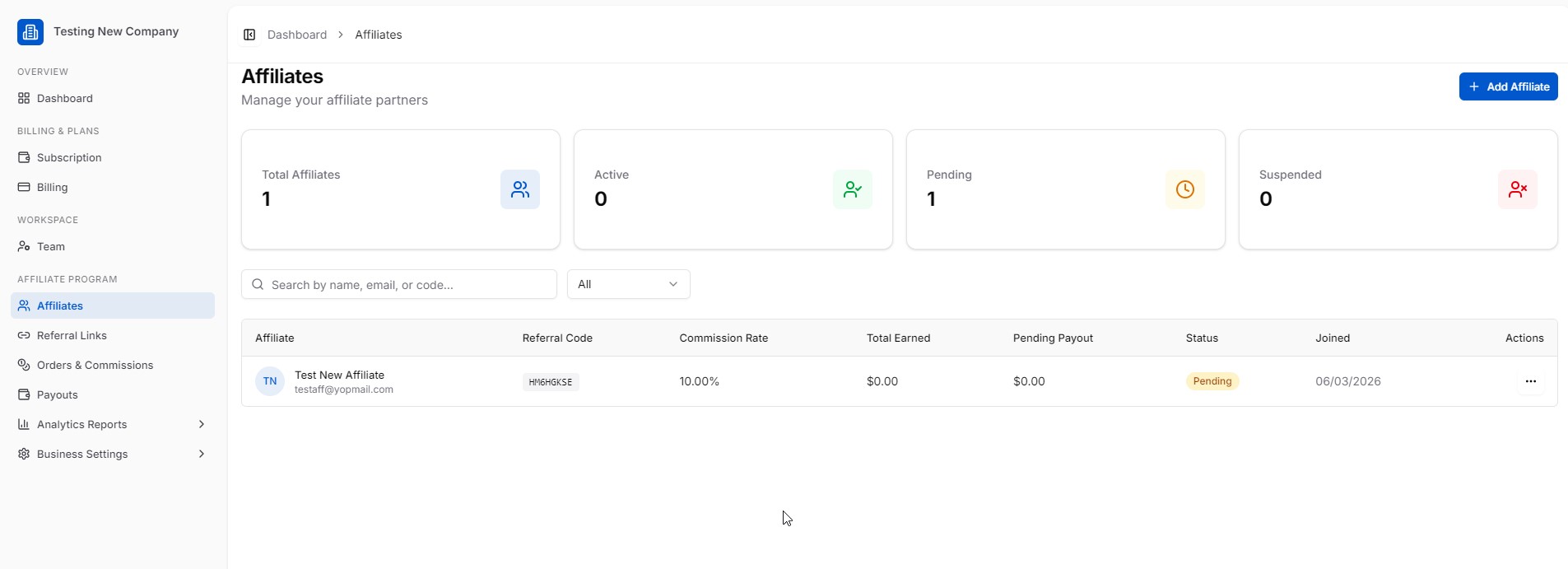
The Affiliates page is your central hub for managing all affiliate partners. The top summary shows:
| Metric | Meaning |
|---|---|
| Total Affiliates | All registered affiliates |
| Active | Currently active affiliates |
| Pending | Awaiting your approval |
| Suspended | Deactivated affiliates |
4.2 Adding an Affiliate
Click “+ Add Affiliate” (top right) to manually invite or create an affiliate partner.
You can also:
- Allow public self-registration (configured in Business Settings → General) so affiliates can apply at
/affiliate/join - Set affiliates to “pending” status until you manually approve them
4.3 Managing Affiliates
The affiliates table shows columns: Affiliate Name, Referral Code, Commission Rate, Total Earned, Pending Payout, Status, Joined, and Actions.
Use the search bar to find affiliates by name, email, or code. Use the status filter dropdown to view All, Active, Pending, or Suspended affiliates.